
Download MP3 Converter APK – MP3 Converter, Audio Converter, Video to Audio, Android Software, Free MP3 Tool
Overview
MP3 Converter APK is a dedicated Android application designed to simplify the process of extracting audio from video files. The software enables users to convert various video formats into high-quality audio files, making it ideal for individuals who want to save music from videos, extract voice clips, or repurpose media content. It serves both casual users and media enthusiasts who frequently work with multimedia files on mobile devices.
The app supports a wide range of input formats, including MP4, 3GP, FLV, and others, allowing users to process files from multiple sources such as social media, personal recordings, or online downloads. Output options include popular audio formats like MP3 and AAC, with customizable settings for bitrate, file size, and metadata. The developer did not provide additional details about the company or background.
Real-world use cases include converting music videos to audio tracks for offline listening, extracting narration from educational videos, or preparing audio for podcasts or presentations. The app is intended for Android users seeking a reliable, on-the-go solution for audio extraction without relying on desktop software.
Key Features & Capabilities
- Video-to-Audio Conversion – Extracts audio from video files in formats such as MP4, 3GP, and FLV, enabling users to convert music videos or recorded clips into standalone audio files.
- Multiple Output Formats – Supports conversion to MP3 and AAC audio formats, offering flexibility for different playback devices and storage needs.
- Customizable Audio Settings – Allows users to adjust bitrate, file size, and audio quality to balance file size and sound fidelity based on personal preferences.
- Metadata Editing – Enables editing of title, album, artist, and other ID3 tags, helping users organize their audio library with accurate information.
- Basic Video Editing Tools – Offers trimming and resizing functions for both video and audio files, allowing users to cut out unwanted segments or adjust dimensions before conversion.
- App Integration Support – Can be accessed from other applications, streamlining the workflow when selecting files from file managers, social media, or cloud storage.
These features make the app suitable for everyday users who need to extract audio for personal use, students preparing study materials, content creators managing audio assets, or anyone looking to repurpose video content. The ability to edit metadata ensures better file management, while the integration feature enhances accessibility across the Android ecosystem.
User Interface, Workflow & Performance
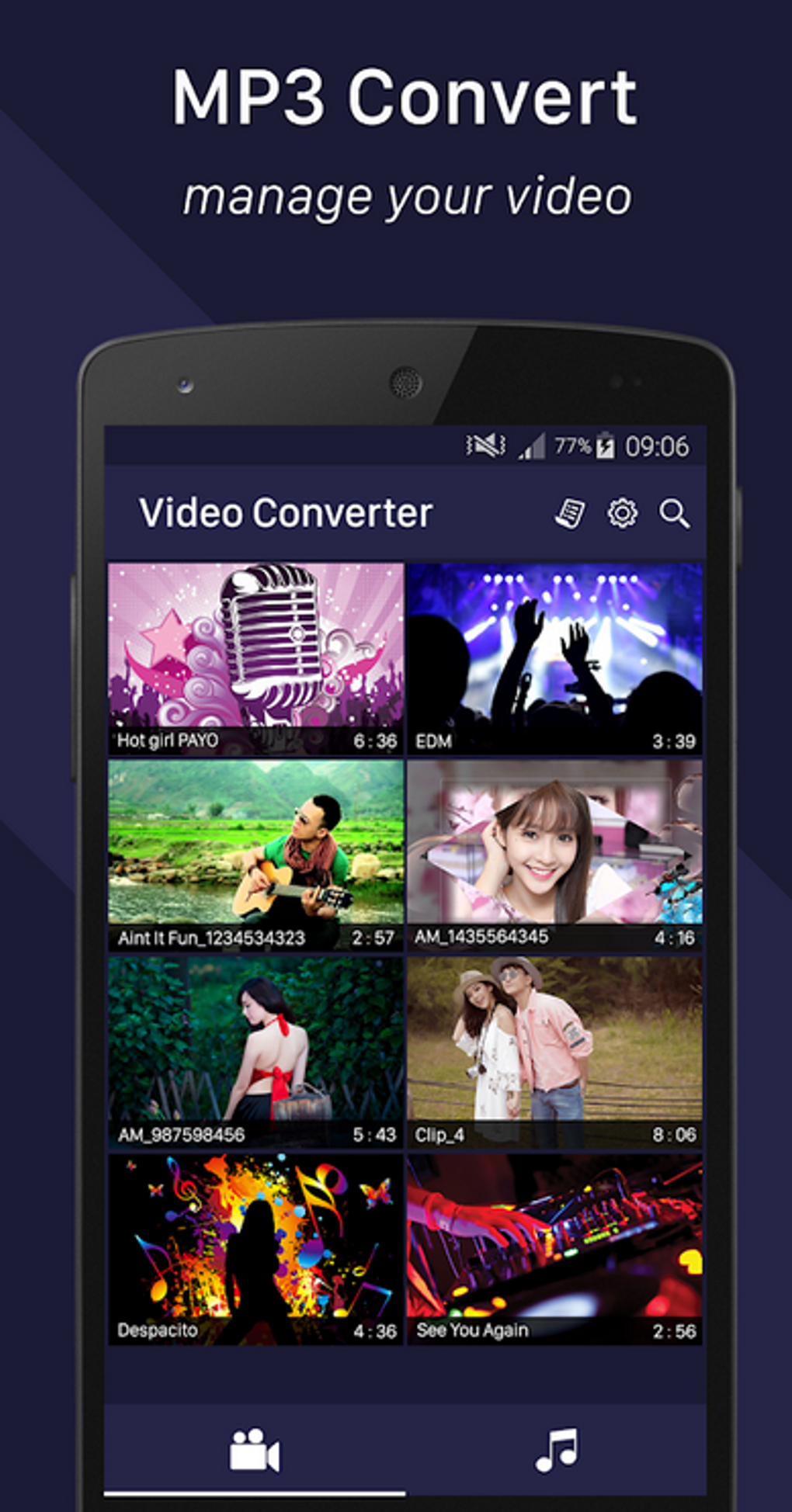
The app features a clean, intuitive interface optimized for mobile use, with straightforward navigation between file selection, conversion settings, and output management. Users can access their media library directly through the app, select a video file, and proceed to configure conversion parameters with minimal steps. The workflow is designed to be efficient, reducing the number of taps required to complete a conversion.
Basic editing tools like trimming and resizing are accessible via simple sliders or input fields, enhancing usability without overwhelming the user. Performance observations are based on general software behavior patterns, as specific performance data was not provided. The developer did not specify resource usage details such as CPU or RAM consumption.
However, given its focus on media processing, users may experience variable performance depending on device capabilities and file complexity. Stability during conversion is expected to be consistent, though no official reports on crash rates or background processing were shared. The app appears to function primarily in the foreground during operations, which may affect multitasking.
Compatibility & System Requirements
MP3 Converter APK is designed for Android devices and is compatible with a wide range of Android versions, though the exact version range was not specified. The app supports major video and audio formats, including MP4, 3GP, FLV, MP3, AAC, FLAC, WMA, OGG, AC3, APE, WAV, and AIFF. Installation size is not explicitly stated, but based on typical media conversion apps, it likely ranges from 20 MB to 50 MB.
The developer did not provide detailed hardware requirements such as minimum RAM, processor speed, or storage space. Compatibility information was partially provided, with the app being optimized for mobile environments. Users should ensure their device meets standard Android requirements for running media applications, including sufficient storage for both input files and output audio.
Pros and Cons
Pros
- Supports a wide variety of video and audio formats for conversion
- Offers customizable bitrate and file size options
- Includes metadata editing for better file organization
- Provides basic video/audio editing tools like trimming and resizing
- Allows integration with other Android apps for seamless file access
- Simple, user-friendly interface suitable for beginners
Cons
- Exact system requirements and performance metrics were not disclosed
- No information on background processing or multitasking support
- Limited details on update frequency or developer support
- App is available as APK, which may raise security concerns for cautious users
- No mention of cloud sync or backup features
FAQ Section
Is MP3 Converter APK compatible with all Android devices?
While the app is designed for Android, the exact compatibility range was not specified. Users should ensure their device runs a supported Android version and has sufficient storage for media files.
Is it safe to download MP3 Converter APK?
Downloading APK files from third-party sources can pose security risks. Users should only download from trusted platforms and verify the app’s authenticity before installation.
Does MP3 Converter require an internet connection?
The app functions offline after installation, allowing users to convert files without needing an internet connection.
Can I update MP3 Converter APK manually?
Updates are possible through external sources, but the app does not specify an automatic update mechanism. Users must manually check for new versions on the provider’s website.
What license type does MP3 Converter use?
The app is available for free download, but the specific license type was not disclosed. It may be free-to-use with optional in-app purchases or advertisements.
Final Thoughts + CTA
MP3 Converter APK delivers a practical and accessible solution for Android users seeking to extract audio from video files. Its support for multiple formats, customizable output settings, and metadata editing make it a versatile tool for personal and creative use. While detailed technical specifications are limited, the app’s straightforward interface and core functionality meet the needs of most users.
It is particularly beneficial for students, content creators, and music lovers who need a reliable way to convert media on mobile devices. Despite the lack of transparency around system requirements and update mechanisms, the app remains a strong contender in the mobile audio conversion space. For those looking for a free, efficient, and easy-to-use tool to convert videos to MP3 or AAC, this app is worth trying.
Download MP3 Converter APK now and start transforming your media with ease.






.png)
